
Table of Contents
Why Black Friday email marketing still matters in 2026
1. The sign-up and list-building campaign
2. The VIP early-access campaign
3. The countdown teaser sequence
4. The segmented launch campaign
5. The abandoned cart recovery (peak-speed version)
6. The dynamic product recommendation email
7. The flash sale / deal-of-the-day campaign
8. The back-in-stock / waitlist campaign
9. The price-drop alert campaign
10. The gift-guide personalization campaign
11. The loyalty program campaign
13. The “last chance” urgency campaign
14. The Black Friday to Cyber Monday bridge campaign
15. The post-purchase and welcome campaign
How to plan your Black Friday email campaigns
Black Friday campaign planning at a glance
|
Key Takeaways
|
|
Cover the full lifecycle, not just launch day. The strongest Black Friday email campaigns run from list-building four weeks out through post-purchase sequences that turn one-time buyers into repeat customers. Time campaigns to behavior and operational data. Browse history, purchase recency, cart signals, and live inventory should drive when each email fires and what it contains. Protect deliverability before volume spikes. Warming sending domains, cleaning inactive contacts, and tightening suppression rules weeks before Black Friday keeps your campaigns out of spam folders when it counts. A full operational prep checklist is in the ecommerce holiday readiness checklist. The sale ends but the relationship doesn’t. Post-purchase emails, loyalty program nudges, and welcome sequences for new buyers convert Black Friday revenue into retained customers who buy again in Q1. |
You built the hero email, your designer nailed it, and three stakeholders approved it. It goes out at 6am on Black Friday promoting a jacket that sold through at 5:47am, to a segment built from a March newsletter open, with a cart recovery trigger that fires four hours after they already checked out.
That’s what most Black Friday email campaigns look like when the creative is strong but the data underneath is stale.
If your Black Friday campaign plan is still a blank calendar and a vague idea about “early access,” you’re behind. If it’s half-built, pressure-test it against this list.
These 15 campaigns cover the full lifecycle, from list-building weeks before the event through the post-purchase sequence that turns a one-time buyer into a repeat customer. For each campaign, you’ll see:
- The campaign type and how to execute it
- Where operational data turns a standard send into one that converts
- How inventory, pricing, and customer value sharpen every decision
You’ll also find how to plan your Black Friday email strategy, how to protect deliverability before peak volume, and how SAP Engagement Cloud connects the operational data that makes every campaign more precise.
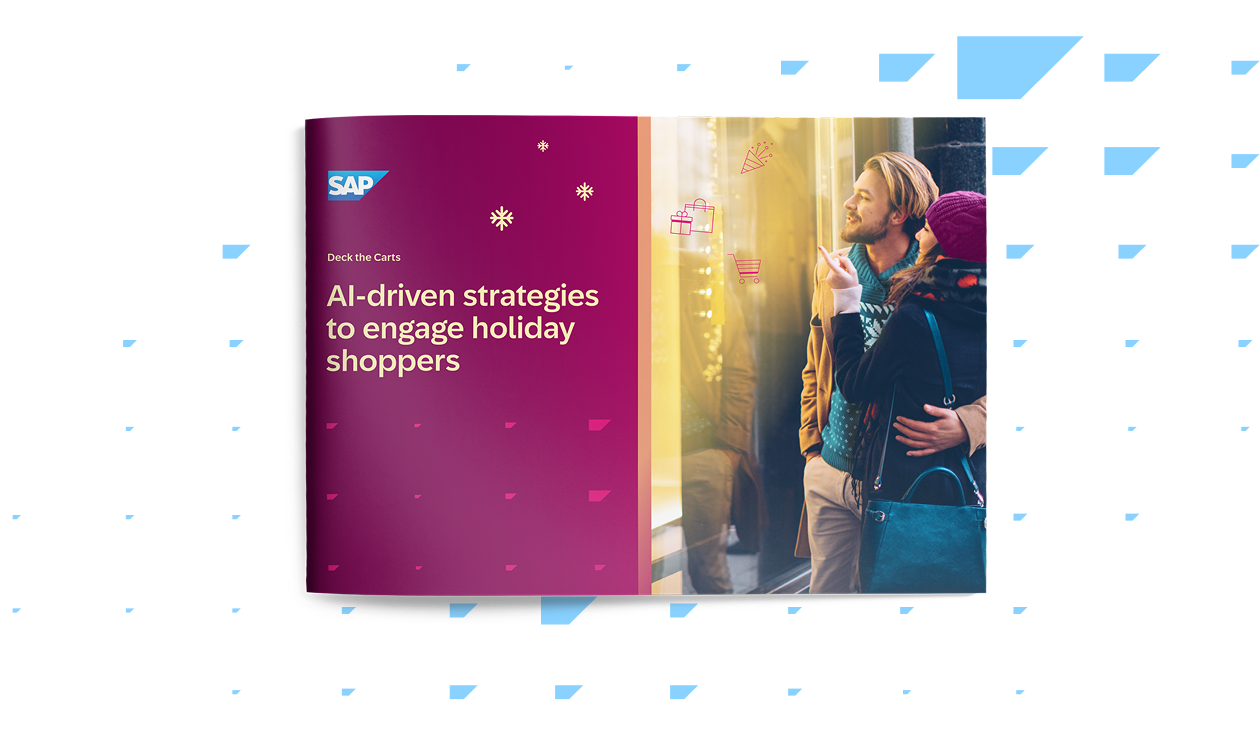
For the full playbook on AI-driven holiday engagement, download Deck the Carts. For the operational prep checklist, start with the ecommerce holiday readiness checklist.
Why Black Friday email marketing still matters in 2026
A customer’s AI shopping agent can compare prices across 40 retailers in the time it takes your team to send one campaign. Agentic commerce is changing how people discover and buy, and some marketers are asking whether email still earns its place in the mix.
It does, and the numbers back it up.
Email consistently delivers the highest return on investment of any digital marketing channel, and during peak season the gap widens. Paid acquisition costs spike 30 to 50 percent during Black Friday week. Organic social reach compresses as every brand fights for the same feed space.
Email reaches customers you’ve already earned, at a fraction of the cost. What’s changed is the bar.
A full-list blast may have worked in 2019 but in 2026, inbox providers are smarter, customers are faster, and the brands that are nailing it are matching the right campaign to the right segment at the right moment.
That means Black Friday email campaigns built on behavioral and operational data, timed to real-time signals, and coordinated across the full customer lifecycle.
1. The sign-up and list-building campaign
Four weeks before Black Friday is the cheapest window to grow your list. Paid acquisition costs haven’t spiked yet, people are starting to think about holiday shopping, and your list is the same size it was in August. Every email address you capture now is free to reach on Black Friday – unlike paid ads, where you’ll be competing against everyone else’s budgets on the day.
A dedicated sign-up campaign captures new subscribers and collects preference data before your sending volume ramps:
- Early-access sign-ups: A landing page or homepage banner promising VIP deals, early access, or first-look content in exchange for an email address. The hook is exclusivity, not a discount on sign-up.
- Preference collection: Ask new subscribers what categories they care about at the point of sign-up. Home Depot, a SAP Engagement Cloud customer, does exactly this during its Hot Sale period, asking shoppers which category interests them through the sign-up form, then sending targeted deal content on day one. That approach drove 8 percent conversion during peak promotions.
- Shortened welcome journey: New subscribers acquired in the four weeks before Black Friday don’t need a 12-email onboarding sequence. Compress it. Brand introduction, preference capture, and a teaser for what’s coming, all within one to two weeks.
- Consent and expectation setting: Let new subscribers know they’ll receive more emails during Black Friday week. Setting that expectation up front reduces unsubscribes and spam complaints during peak volume.
Think: “You’re in. Black Friday deals drop in 18 days. Tell us what you’re shopping for and we’ll make sure you see it first.”
This campaign doubles as a deliverability play. New, engaged subscribers acquired weeks before the event strengthen your sending reputation heading into the volume spike.
2. The VIP early-access campaign
VIP segments can drive a disproportionate share of Q4 revenue. But on Black Friday, it’s not unusual for them to get the same email as everyone else, at the same time, with the same 30 percent off.
Early access gives your highest-value customers exclusive deals 24 to 72 hours before the public launch. The campaign works because it rewards existing loyalty rather than training everyone to wait for the general sale.
The difference comes down to how you define “VIP.” Most teams build the segment from email engagement, clicks and opens. The stronger version uses customer lifetime value calculated from purchase and order data, so the list reflects revenue contribution rather than who happened to click last Tuesday’s newsletter.
Run product recommendations against live inventory so the early-access email features items that are confirmed in stock and allocated. Cross-reference with recent purchase history so you don’t lead with something they bought two weeks ago.
Think: “Your early access is live – 48 hours before everyone else. We reserved the wool coat you looked at last week in your size.”
Arezzo & Co, a SAP Engagement Cloud customer, used this approach to automate targeted product recommendations based on buyer intent signals, delivering a 37 percent increase in Black Friday revenue year over year.
4. The segmented launch campaign
Sending the same email to your entire list at 6am on Black Friday is the engagement equivalent of a department store playing one announcement over the PA and hoping everyone finds what they came for.
The launch email is the main Black Friday announcement, but it should arrive at different times with different offers depending on who’s receiving it. Segment by how each group makes purchase decisions:
- Price-sensitive buyers: Clear savings and urgency. Lead with the discount.
- Category-affinity segments: Products in the categories they’ve browsed or bought from. A beauty buyer doesn’t need to scroll past electronics.
- High-intent browsers (recent repeat visits, items sitting in cart): Streamlined messaging. Less sell, more “here’s the link.”
- First-time subscribers: A welcome-to-Black-Friday variant with brand context. They don’t know you yet.
Our Deck the Carts playbook identifies ten segments worth building, from VIPs to at-risk customers. You don’t need all ten, so pick the four that map to how your business makes money in Q4, and build those really well.
Segment definitions built on purchase and order data rather than email opens make every variant stronger. Pair that with margin-aware pricing so you’re discounting where it moves the needle and protecting margin everywhere else.
PUMA Europe, another SAP Engagement Cloud customer, used predictive AI segmentation to move from batch sends to behavior-driven targeting, delivering 5X revenue from email in six months and 50 percent database growth.
5. The abandoned cart recovery (peak-speed version)
A shopper adds a pair of leather boots to their cart at 10am on Black Friday, gets distracted by a competitor’s SMS, and buys elsewhere by 10:45. Your cart recovery email arrives at 2pm, four hours after you lost the sale.
During normal trading, a three to four hour abandonment window works. During Black Friday, you need to compress that to 15 to 20 minutes.
The shopper who abandons during peak isn’t taking a lunch break. They’re comparison shopping at speed, and whoever reaches them first with a relevant reminder has the advantage.
The email content matters as much as the timing. The product in the recovery email should resolve against live inventory:
- If their size is still available, show it with an honest stock count
- If it sold out, swap in an alternative rather than sending them to a dead-end product page
- If the item is back-ordered, say so and give a delivery estimate
Think: “Still thinking about the leather boots? Two pairs left in size 7. If they go, here’s what we’d pick for you.”
The ecommerce holiday readiness checklist covers how to tighten trigger timing and test suppression rules before November.
6. The dynamic product recommendation email
A product recommendation email built on Tuesday’s data goes out on Friday featuring three items that are already sold out and two the customer has already bought. Five slots, zero useful recommendations.
Product recommendations that resolve at send time solve this. When your email marketing automation pulls from current inventory, pricing, and customer purchase history, every recommendation meets three criteria:
- Something the customer hasn’t bought
- Something they can buy right now
- Something they’re likely to want based on their browsing and purchase patterns
AI-driven product affinity scores make this practical at scale. Instead of manually curating grids for each segment, the personalization engine surfaces what each customer is likely to want next, filtered against what you can fulfill today.
During Black Friday, stock levels change faster than your Slack thread about the typo in the subject line. That’s the problem with building recommendation grids on Monday and sending them on Friday; by the time the email lands in someone’s inbox, half the products might be gone.
Real-time resolution means your email template doesn’t lock in its product picks when you hit schedule. It pulls the latest inventory, pricing, and purchase data at the moment the email actually renders for each recipient, so the recommendations are current when the customer sees them, not when your team last touched the campaign.
This means if a jacket sells out at 9:14am, the 9:15am open gets a different jacket – no manual swap, no emergency Slack message to the design team, no “sorry, that item is no longer available” dead end.
7. The flash sale / deal-of-the-day campaign
A fashion retailer runs a rotating deal every six hours across the Black Friday weekend. By Saturday afternoon, the 2pm deal sells through in 40 minutes. The email promoting it is still landing in inboxes at 3pm, sending traffic to an out-of-stock page.
Now customer service is fielding complaints, your social team is responding to screenshots of the dead link on X, and the head of ecommerce is in your DMs asking: “How did this happen???” On a Saturday.
Flash sales create urgency – that’s the point. They also create a very short window between “this is working” and “this is a problem.” Products move fast, and every minute the promotion stays live after stock runs out, you’re sending people to a page that can’t deliver what you promised.
Use these three automations to build a flash campaign that doesn’t end up in someone’s Monday morning post-mortem:
- Suppression logic: Once the deal sells through, the email stops sending or the content swaps to the next offer
- Countdown timers synced to the actual deal window, so the customer sees real-time availability
- Follow-up triggers: Customers who clicked but didn’t buy during one flash window get notified when the next deal in their category drops
Connect stock-level thresholds to your suppression rules so your Black Friday email campaigns adjust automatically. If a product hits a low-stock threshold, the email content swaps before the next batch sends. Margin data can also inform which products to feature in each window, prioritising items where you want to accelerate clearance.
8. The back-in-stock / waitlist campaign
Your bestselling boots sold out at 9am on Black Friday. By 10am, 340 people have hit the product page and seen “out of stock.”
A handful of them click “Notify me.” The boots come back at 2pm when a cancelled order frees up inventory, and nothing happens – because nobody built the trigger. Those 340 people are now browsing your competitors, your merchandising team is asking why the restock didn’t move, and the “notify me” button is just a form that collects emails into a list that no one will see until Monday.
Back-in-stock alerts are standard in always-on ecommerce. During Black Friday, they become a revenue recovery channel. Products deplete and restock within hours as returns, cancellations, and warehouse replenishments hit the system. Every restock is a conversion opportunity with a pre-qualified audience – people who already wanted the product enough to ask for it.
The campaign needs three things to work during peak:
- Speed: The alert fires within minutes of restock, not on the next batch cycle. During Black Friday, a four-hour delay means the item sells out again before the email lands.
- Inventory awareness: The alert only fires when stock is above a minimum threshold. Notifying 340 people about 3 pairs of boots creates a worse experience than no notification at all.
- Fallback logic: If the exact item doesn’t restock, the alert recommends the closest available alternative rather than going silent.
This campaign is impossible without real-time stock data feeding your marketing automation. Most email solutions can tell you someone clicked “notify me”, but connecting that signal to inventory levels as they change is where SAP Engagement Cloud helps you close the gap.
9. The price-drop alert campaign
Saturday afternoon. You’ve taken an additional 15 percent off outerwear to clear remaining stock before the weekend ends, but the 2,000 customers who browsed those jackets on Friday at the original sale price don’t know about it.
They’ve moved on – they think they saw your best offer. Meanwhile your merchandising team is watching sell-through rates flatline on a category they just marked down, and nobody can figure out why the deeper discount isn’t converting – because the people most likely to buy at that price never found out about it.
A price-drop alert brings them back with a specific, relevant reason. The email doesn’t say “our sale just got bigger.” It says the jacket they looked at is now 45 percent off instead of 30.
During Black Friday weekend, pricing changes happen fast:
- Markdown schedules accelerate to clear categories before Cyber Monday
- Competitors adjust prices, and your team responds
- Bundle pricing kicks in on Saturday that wasn’t live on Friday
The price-drop campaign catches customers who showed intent at a higher price and gives them a reason to return at a lower one.
It’s a triggered campaign rather than a broadcast, so it only goes to people who browsed or carted the specific products that dropped.
This requires real-time pricing data flowing into your marketing automation. If pricing lives in ERP or commerce systems and your email solution isn’t connected to it, your team ends up sending a generic “prices just dropped” blast to the full list – which is what everyone else does, and which buries the specific deal in a wall of noise.
SAP Engagement Cloud connects that pricing data directly to triggered campaigns so the email is specific to the product and the price the customer saw.
10. The gift-guide personalization campaign
A shopper browses men’s watches and women’s handbags in the same session. You and I know they’re not shopping solely for themselves, but your Black Friday campaign treats them the same as every other handbag browser and sends them a women’s accessories deal.
This is because most Black Friday email campaigns assume every browser is a self-purchaser.
During the holiday season, as much as 40 percent of traffic is gift shopping, and gift shoppers act differently. They browse outside their usual categories, care more about delivery dates than discount depth, and convert on relevance.
A gift-guide campaign targets this intent:
- Cross-category browsing signals: A customer browsing three categories they’ve never bought from is likely shopping for others. Flag that behavior and route them to gift-focused content.
- Delivery-led messaging: Gift shoppers care about “will it arrive by Christmas” more than “how much do I save.” Lead with guaranteed delivery dates, not percentage off.
- Bundle and curate: Gift guides that group products by recipient type (“for the runner,” “for the cook”) outperform category-level discounts for this audience.
When considered together, browse data and purchase history tell you whether someone is shopping for themselves or someone else. When that signal connects to your campaign logic, you stop blasting discount-first messaging to someone who’d have converted on a curated gift guide with a delivery guarantee.
11. The loyalty program campaign
Your loyalty members already buy from you without a discount. Giving them the same blanket 30 percent off as everyone else trains them to expect a discount they would have bought without.
Your CFO sees it in the post-mortem: loyalty members converted at the same rate as last year, but at 30 percent less margin. The discount that was supposed to drive incremental revenue ended up subsidizing purchases that were already going to happen. A Black Friday own-goal.
Do this instead: Black Friday email marketing campaigns built around loyalty mechanics reward the relationship without cannibalizing margin:
- Double or triple points during the Black Friday weekend
- Tier-aware messaging: Gold members see different offers than new enrollees
- Members-only bundles or early shipping windows
- Points balance displayed in the email, with a nudge to redeem
The customer loyalty solution makes this possible by connecting loyalty data to your campaigns: tier status, points balance, and engagement level.
An email that shows a customer their current points balance and how close they are to the next tier is more compelling than another percentage off. It also costs less.
For inactive loyalty members, Black Friday is a natural reactivation trigger. A “your points expire” or “spend your balance this weekend” message hits differently than another sale announcement – it reminds them they already have something to spend, and that the clock is ticking.
12. The win-back campaign
A customer bought from you twice last year, browsed your site in March, and has been silent since. You’re still paying to store their data, their loyalty tier is gathering dust, and your CRM shows them as “active” because nobody’s updated the definition. They stopped thinking about you five months ago.
A win-back email works when the customer still vaguely remembers you. Wait six months and you’re sending to someone who has to google your brand name to figure out why you’re in their inbox.
Black Friday gives you a natural reason to reach out. Time this campaign to land 5 to 7 days before the main event, before the inbox flood makes it impossible to get noticed.
Three things to get right:
- Use predictive churn models to identify who’s worth reactivating. Wasting sends on true churns hurts your deliverability during the exact week you need it most.
- Lead with what’s new rather than defaulting to a discount. “Here’s what’s changed since you last visited” alongside a Black Friday incentive gives the customer a reason beyond price.
- Personalize to their purchase history. Products related to their last purchase, not generic bestsellers.
Now Optics, another SAP Engagement Cloud customer, used AI marketing for segmentation and dynamic content across an omnichannel seasonal campaign, driving 5.8 million engagements from a single campaign and a 65 percent year-over-year increase in win-back rate.
13. The "last chance" urgency campaign
Sunday evening. The sale ends at midnight. A large chunk of your list opened Tuesday’s teaser, clicked Friday’s launch email, and browsed three product pages. They’re interested, but they haven’t committed.
This is where your creative shifts from discovery to decision. The foundation of this is giving them:
- A clear deadline
- Specific savings
- Content personalized to what they browsed during the sale window, not a repeat of Friday’s hero products.
What your last-chance campaign should look like:
- Subject line urgency: Deadline-driven, specific. “Sale ends at midnight” outperforms “Don’t miss out.”
- Browsing-based personalization: Show them the products they looked at this weekend, with current stock counts.
- Cross-channel coordination: The email, SMS, and paid ads should tell the same story. A customer who sees “last chance” in their inbox, a retargeting ad with the same product, and an SMS reminder experiences a consistent message rather than three disconnected campaigns.
Think: “You looked at these 3 products this weekend. Two are almost gone. Sale ends at midnight.”
Inventory data adds authentic urgency. “12 left” has an impact when it’s true.
14. The Black Friday to Cyber Monday bridge campaign
Monday morning and your Black Friday campaigns have wrapped. Whether your team is celebrating or not, you’re exhausted. Meanwhile, an entire Cyber Monday audience is warming up, some who bought on Friday and some who deliberately waited.
The bridge campaign maintains momentum across the full Black Friday Cyber Monday email weekend without repeating the same message to everyone. The key is treating Friday purchasers and non-purchasers as two different audiences:
- Friday purchasers: They’ve already bought. Suppress the “sale continues” message. Instead, send a cross-sell recommendation based on what they bought, or a loyalty program nudge. “Thanks for shopping Friday. Here’s something that pairs with what you picked up.”
- Non-purchasers who browsed: They showed intent but didn’t commit. Update recommendations based on what they browsed over the weekend. If prices dropped or new stock arrived, tell them.
- Non-purchasers who didn’t engage: A fresh Cyber Monday angle. Different creative, different subject line, different products. Friday’s messaging didn’t land; repeating it won’t either.
Two things make this campaign more effective than a generic “Cyber Monday is here” blast:
- Updated recommendations that reflect weekend browsing and purchase behavior, not the stale data from last Tuesday’s build
- Suppression of converted customers from further promotional sends. A customer who bought on Friday and gets three more promotional emails by Monday is being taught to unsubscribe.
Offer extensions only work when the deal actually changes. Extending the “limited time” Black Friday deal into a “Cyber Monday exclusive” with identical pricing and identical creative trains your audience to ignore urgency next year. So, if you’re extending, extend with new products, new bundles, or a demonstrably different offer.
15. The post-purchase and welcome campaign
The Monday after Cyber Monday, most marketing teams go dark. The campaign calendar is blank until mid-December.
Meanwhile, thousands of first-time buyers, acquired at full acquisition cost during the most expensive ad week of the year, are forming their first impression of what it’s like to be your customer. Right now, that impression is a shipping confirmation and silence.
Every dollar spent acquiring a customer who doesn’t come back is a dollar you’ll spend again next quarter to replace them. Your post-purchase campaign is where you start earning that second purchase.
For new customers, build a welcome sequence:
- Brand introduction and product ecosystem
- Tips based on what they bought (not generic “how to care for your order” content)
- Progressive profiling to capture preferences while goodwill is high
For existing customers who bought during Black Friday:
- Cross-sell recommendations based on purchase data, extending from what they chose rather than starting from scratch
- Loyalty program invitation or tier-progress nudge
- Review request timed to delivery, not to purchase
Suppress further promotional sends temporarily. These customers just bought from you, so let the relationship breathe before the next campaign lands.
Shipping and delivery data should feed the journey: confirmation, dispatch, delivery, follow-up. Each message timed to what’s happening with their order, not to an arbitrary calendar.
How to plan your Black Friday email campaigns
Fifteen campaign types won’t help you if your team launches them without a plan. This section connects each campaign to your audience, your data, and your calendar.
Step 1: Define the audience for each campaign
Not every campaign goes to every segment. Map each campaign type to the audience it serves.
- Your VIP early-access campaign targets your highest-value customers.
- Your sign-up campaign targets prospects and new subscribers.
- Your win-back campaign targets lapsed buyers with reactivation potential.
Segment definitions built on purchase behavior and customer lifetime value outperform segments built on email engagement alone.
Our Deck the Carts playbook walks through ten segments worth building, with identifying signals and engagement approaches for each.
Step 2: Map campaigns to the customer journey
Lay out which campaigns fire at each stage:
- Pre-event (4+ weeks out): Sign-up, list-building, teaser sequence, win-back
- Early access (2 to 3 days before): VIP early-access, loyalty program
- Launch day: Segmented launch, dynamic product recommendations, flash sales
- Peak weekend: Abandoned cart, back-in-stock, price-drop, gift-guide, last chance
- Bridge (Sunday to Monday): BF-to-CM bridge
- Post-event (1 to 2 weeks after): Post-purchase, welcome, cross-sell
Seeing the full timeline prevents the common mistake of overloading launch day and going silent afterward.
For lifecycle email marketing examples beyond peak season, from welcome programs to win-back, see how PUMA, AO and John Frieda built theirs.
Step 3: Connect customer and operational data
Every campaign in this list significantly improves with access to data beyond email engagement, for example:
- Inventory levels inform back-in-stock and flash sale suppression.
- Pricing data powers price-drop alerts.
- Order status feeds post-purchase journeys. CLV scores define your VIP segment.
Audit which data sources your engagement solution can access today and which ones require integration work. That integration work takes weeks, not days, so start it now.
If your engagement solution already connects to ERP, commerce, and loyalty systems – as SAP Engagement Cloud does natively – hook up those systems directly to your campaign logic and get going.
Step 4: Prepare for increased sending volume
Your normal weekly send volume might be 200,000 emails. During Black Friday week, it could spike to 2 million. That kind of jump can trigger spam filters, damage your deliverability, and land your campaigns in the promotions tab or the spam folder.
Gradual volume increases over two to three months, combined with list hygiene and engagement-based segmentation, protect deliverability. The next section covers this in detail.
Step 5: Plan the post-purchase journey
Most teams stop planning at the “last chance” email. The post-purchase journey, welcome sequence for new buyers, cross-sell sequence for existing customers, and review request sequence all need to be built and tested before the event, not improvised afterward.
Black Friday campaign planning at a glance
Protect your deliverability before peak season
None of these campaigns matter if they land in spam. A sudden volume spike from your normal weekly sends to Black Friday volume is the fastest way to tank your domain reputation during the one week it costs you real revenue.
Start deliverability prep at least three months before the event: gradual volume warmup, list hygiene, SPF/DKIM/DMARC authentication, and engagement-based segmentation. The ecommerce holiday readiness checklist walks through the full deliverability prep timeline step by step.
Make every campaign stronger with connected data
Every Black Friday email campaign above gets better when your team can act on data most engagement solutions can’t access: inventory levels, pricing, order status, promotion eligibility, and customer lifetime value calculated from transaction data.
SAP Engagement Cloud connects your engagement decisions to ERP and commerce data so every send reflects what your business can fulfill right now. Specifically:
- Predictive segments built on purchase history, product affinity, and channel preferences rather than email opens alone. Your VIP list reflects revenue contribution. Your churn model identifies who’s worth reactivating.
- Behavior-triggered journeys that fire on real-time events: cart abandonment at peak-speed timing, back-in-stock alerts within minutes of restocking, price-drop notifications tied to live pricing.
- Send-time and channel decisioning powered by AI. Each customer receives the message when they’re most likely to engage, through the channel they prefer, without your team manually scheduling 15 campaigns across four time zones.
- Engagement-based suppression and deliverability monitoring so your volume ramp and list hygiene aren’t managed in a spreadsheet. The system identifies disengaged contacts and suppresses them before they damage your domain reputation.
- Connected operational data from ERP, commerce, and service systems. Your abandoned cart email resolves products against current stock. Your flash sale stops sending when the product clears. Your post-purchase journey triggers on actual shipment, not on a calendar delay.
SAP Engagement Cloud customers see this in their results:
- Arezzo & Co delivered a 37 percent increase in Black Friday revenue year over year
- PUMA Europe grew email-attributed revenue 5X in six months with predictive segmentation
- Home Depot drove 8 percent conversion during peak promotions with category-targeted sign-ups
- Now Optics generated 5.8 million engagements from one multichannel seasonal campaign and saw a 65 percent year-over-year increase in win-back rate
Download our full AI-driven holiday engagement strategy
Black Friday email campaigns FAQs
It depends on the segment. VIPs and high-intent browsers can receive daily sends across the weekend without fatiguing. Less engaged segments should get fewer, better-targeted messages. Stagger by engagement level and monitor unsubscribe rates in real time so you can pull back if a segment starts showing fatigue.
List-building and sign-up campaigns 4 weeks before the event. Teaser sequences 7 to 10 days before. VIP early access 2 to 3 days before the public launch.
The operational prep should start at least three months out: segments, triggers, deliverability warmup, and data integrations. The ecommerce holiday readiness checklist covers the full timeline.
Yes. Several approaches perform well with the right audience:
- Gift-with-purchase
- Loyalty perks
- Bundles
- Exclusive access
- Values-led messaging
The key is offering something your customer values. For many of your best customers, that isn't a percentage off.
Warm your sending volume gradually over two to three months. Don't jump from a weekly newsletter to daily sends overnight. Clean your list of bounces and inactive subscribers.
Authenticate your sending domain with SPF, DKIM, and DMARC. Monitor deliverability weekly in the lead-up. A sudden volume spike is the fastest way to tank your domain reputation during the one week it costs you real revenue.
Specificity and urgency, grounded in truth. "30 percent off everything, ends midnight" outperforms "Our biggest sale ever!" because it tells the reader exactly what they get and when it ends.
Personalized subject lines that reference the recipient's browsing or category interest outperform generic ones. Test two to three subject line variants per campaign, focusing on one variable at a time: discount vs. product, urgency vs. curiosity, short vs. descriptive.
Relevance beats volume. A personalized email featuring the three products someone browsed last week, with current stock levels and a specific discount, outperforms a generic "Black Friday blowout" sent to the full list.
Timing matters too: send when your audience is most likely to engage, not when everyone else is sending. Segment-specific send times, behavior-triggered campaigns, and subject lines that reference something the recipient did are the practical levers. You win inbox attention by making the email feel like it was built for one person, even when it goes to 200,000.
About the author
Mikkel Tophoj has worked in digital marketing for 11 years with a focus on strategy. As a Services Consultant at SAP Engagement Cloud and previous roles at agencies, he has helped Fortune 1000 brands across all industry verticals connect their data to create dream customer experiences and drive measurable results. Keeping up with innovation, he is focusing on how AI can amplify marketing efforts. He holds a BS in business administration with an emphasis in marketing and a minor in economics from CU Denver.